The dashboard
The dashboard is the page you land on: /overview/ (also served at /).
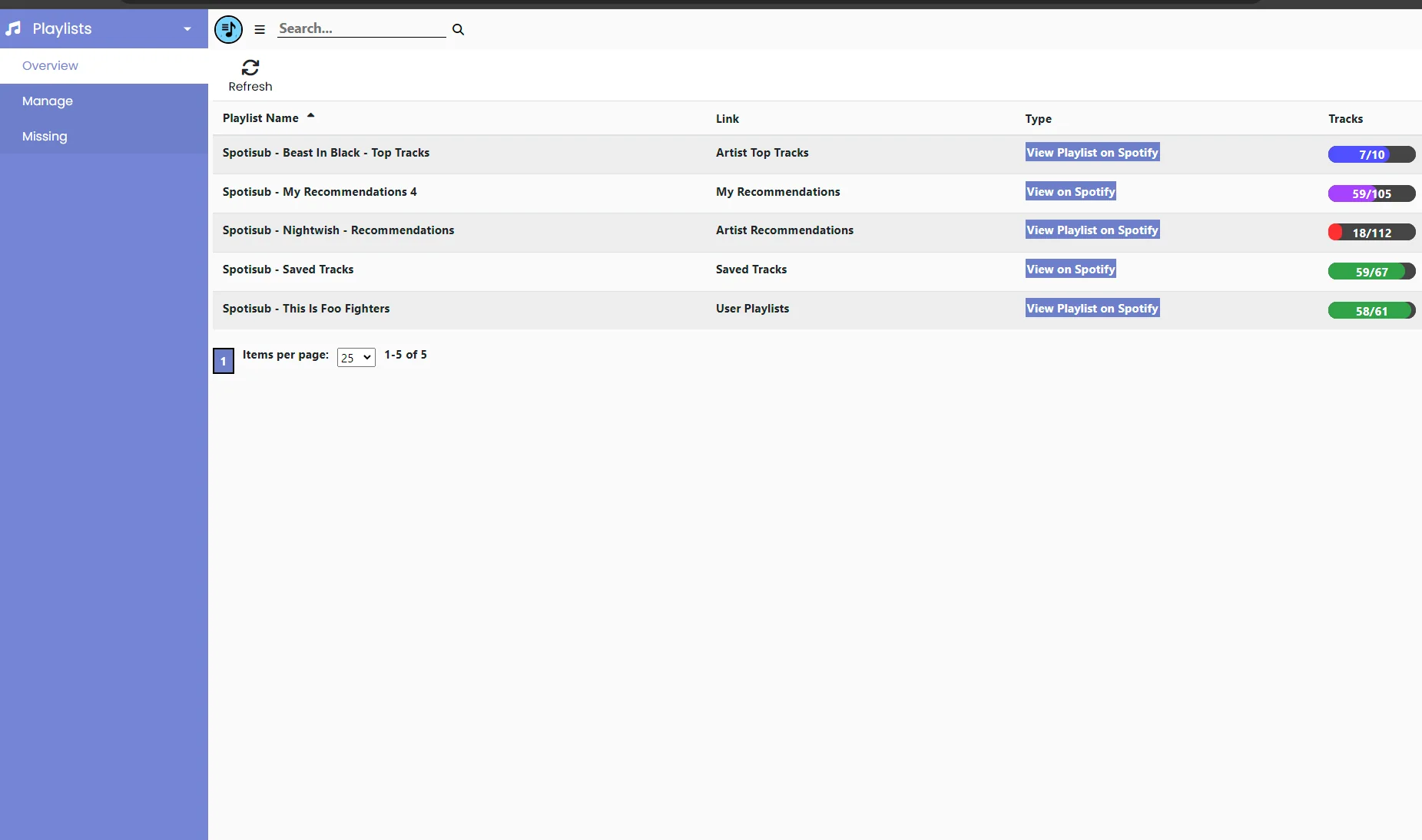
Each row is a playlist Spotisub manages on your server.
| Column | Meaning |
|---|---|
| Playlist Name | The name on the Subsonic server, normally Spotisub - <name> |
| Type | Which job owns it: user_playlists, saved_tracks, artist_top_tracks, ... |
| Link | Opens the playlist on Spotify (or a generic Spotify link for generated ones) |
| Tracks | How many tracks matched / how many the Spotify playlist has |
Click a row to open the playlist detail.
Where the rows come from
Two scheduled jobs create and refresh them:
init_jobs(every hour) discovers new Spotify playlists and creates an empty playlist row for each,scan_library(every 24 hours) does the same for your library's artists.
Nothing is imported yet at that point. The Rescan button, or the per-type jobs
(saved_tracks, user_playlists, ...), does the actual import. This is deliberate:
importing during boot would block the interface for minutes.
Empty dashboard after a fresh install
The initial playlist scan is warmed in the background and its errors are swallowed on purpose, so a wrong Subsonic password shows up as an empty dashboard rather than a crash. Use Check Subsonic, then reload.