Spotisub
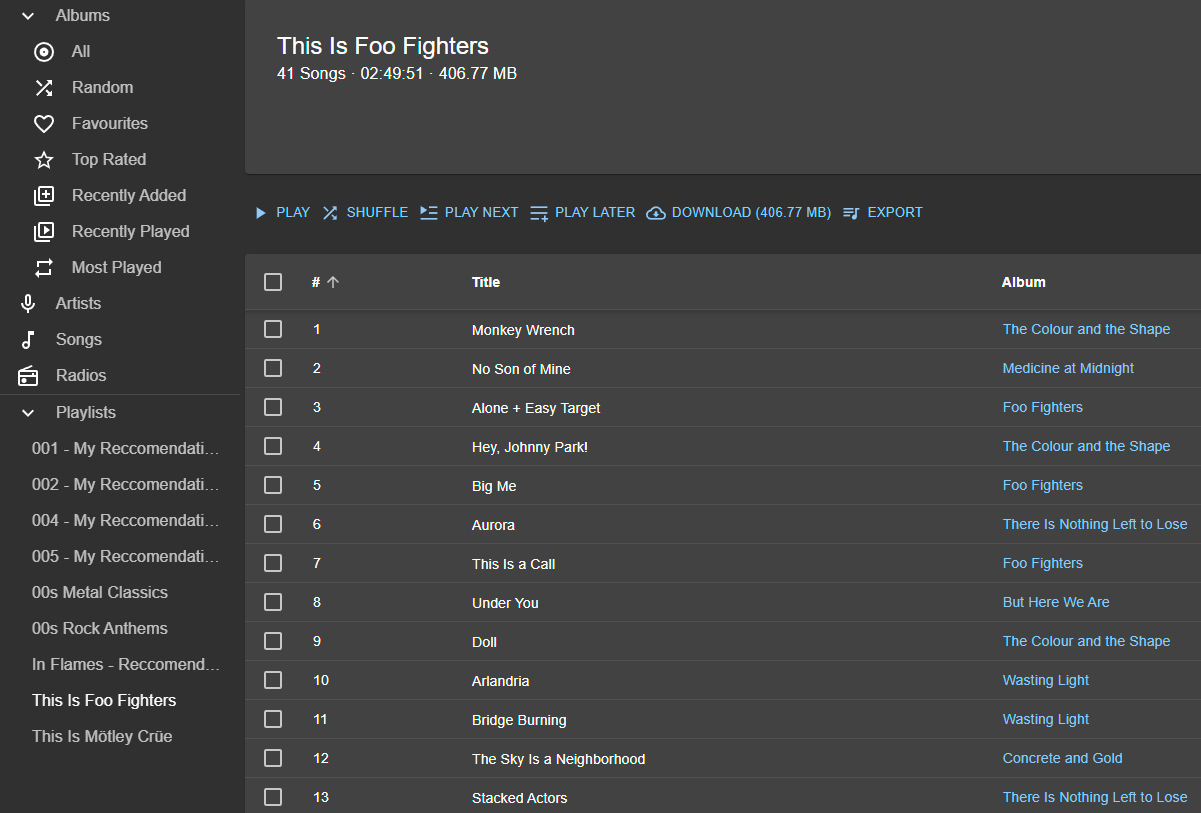
Spotisub imports your Spotify playlists into your own music server, and keeps them in sync. It works with Navidrome and every other server that speaks the Subsonic API (Airsonic, Gonic, Astiga, Ampache, ...).
You point it at your Spotify account and at your music server. Spotisub then:
- reads your Spotify playlists, liked songs and (optionally) artists,
- finds each track in your library,
- writes real playlists on the server with a
Spotisub - ...prefix, - shows you exactly which tracks could not be found, so you can fix or ignore them,
- refreshes everything on a schedule, so playlists stay current.
Spotify does not let other software read your playlists without your permission, so
Spotisub runs on your machine and uses your own Spotify app credentials. Nothing
is sent anywhere else: the database, the OAuth token and the logs stay in a cache/
folder next to the container.
What Spotisub does
-
Playlist import
Your Spotify playlists, created and refreshed on your server as normal playlists your phone, Sonos or car can play.
-
Liked songs
One playlist with everything in your Spotify Liked Songs, kept up to date.
-
Artist top tracks (optional)
A "Top Tracks" playlist for each artist you own, so an artist page is never empty.
-
Missing-track report
A per-playlist view of every track Spotisub could not find, with one-click ignore and re-scan.
-
Optional auto-download
Hook up spotdl and missing tracks are downloaded to your music folder automatically, optionally gated by Lidarr.
Start in four steps
-
1. Create a Spotify app
Five minutes in the Spotify developer dashboard. You need a Client ID and a Client Secret, and you must register one redirect URI.
-
2. Install Spotisub
One command with the installer script, or a two-file
docker composesetup if you prefer to see what runs. -
3. Log in to Spotify
Open Spotisub, create your local account, press Connect Spotify and approve the prompt. This happens once.
-
4. Import a playlist
Press Rescan, watch the jobs list, and open the playlist to see what matched and what did not.
Requirements at a glance
| You need | Why |
|---|---|
| A Subsonic-compatible server with your music in it | That is where the playlists are written |
| A Spotify Premium account | The playlists come from there, and Spotify requires Premium for Web API access since February 2026 |
| A Spotify app (Client ID + Secret) | Spotify requires it for any third-party client |
| Docker, or Python 3.10+ if you run from source | The way Spotisub is packaged |
Spotify Premium is required
Since Spotify's February 2026 developer policy, Development Mode requires the
account that owns the app to have Premium — a free account gets the Web API
blocked with 403. spotdl needs Premium for its own
reason: it uses Spotify's streaming endpoints.
Where to go next
- Never used Docker? → Install with the script
- Something does not work? → Troubleshooting
- Tracks are missing? → Missing tracks and How matching works
- Want to change behaviour? → Environment variables
- Automating with scripts? → REST API
This site replaces the old wiki
Everything that used to live in the GitHub wiki is here, rewritten and extended.
The release history is generated from CHANGELOG.md in the
repository.
Buy me a coffee
Spotisub is a spare-time project: no ads, no telemetry, no paid tier. If it earned a place in your setup, a one-off tip pays for the time behind the next fix.

